
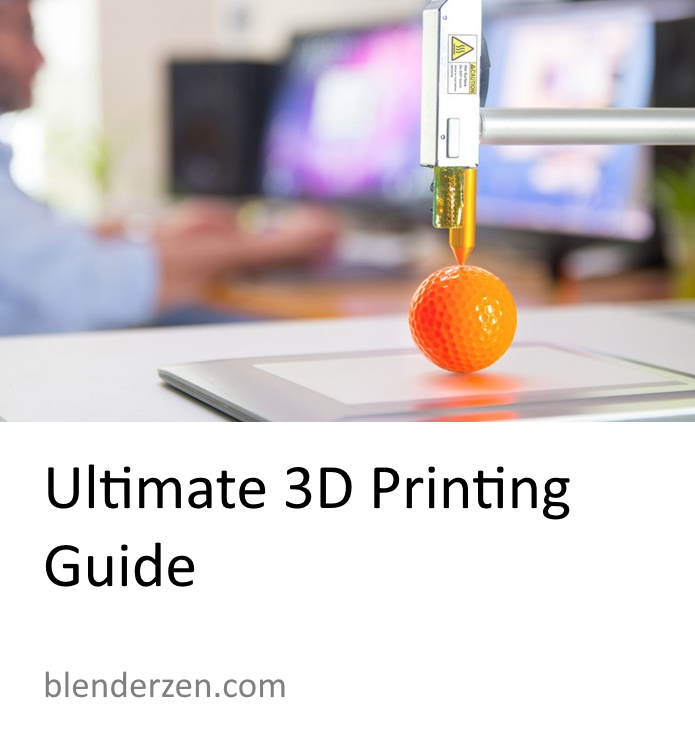
We’ve all heard the term 3D printing, but what is it exactly, and how does it work. This 3D Printing Guide will try explain 3D printing and some of the 3D modelling tools available. 3D printing, also known as additive manufacturing, is a revolutionary process that allows the creation of three-dimensional objects directly from digital designs, 3D Models from the likes of Blender or from CAD (Computer-Aided Design) models, such as FreeCAD. Unlike traditional manufacturing methods that involve subtractive techniques like cutting or carving, 3D printing adds material layer by layer to build the final object. If you’d like a detailed course teaching you 3D printing in the free and open source software Blender then use this link and check out my course on Udemy. Also check out the YouTube videos below using the 3D modelling software Blender & FreeCAD for modelling for 3D printing.
A Brief History
Charles Hull’s patent for Stereolithography paved the way for the first commercial SLA 3D printer and the STL file format. Originally known as rapid prototyping, it was later renamed “3D Printing.” Hull co-founded 3D Systems, which revolutionized the creation of 3D objects from digital files. The Stereolithography process involved solidifying layers of liquid material using UV light. Over time, new processes emerged, driving technological advancements. In the early 2000s, the expiration of the Fused Filament Fabrication (FFF) patent led to a significant cost reduction, making it popular among hobbyists. FFF remains one of the most widely used 3D printing methods today.
Here are some common uses for 3D printing for designers and enthusiasts:
- Fast Prototyping: From the early days 3D printing enabled rapid prototyping by eliminating the need to purchase or set up specialized machines or parts. Designers can simply print a prototype and refine it by updating the digital file. This speeds up the product development process and allows for quick iterations and improvements.
- Replacement Parts: 3D printing makes it possible to create replacement parts for old or broken gadgets and equipment. Instead of searching for discontinued parts or waiting for lengthy manufacturing processes, individuals can simply 3D print the required component, saving time and money.
Some of the benefits of 3D Printing technology include:
- Complex Object Creation: 3D printing enables the production of intricate and complex objects that may be difficult or even impossible to manufacture using traditional techniques. It offers designers more freedom and flexibility in realizing their creative vision.
- Material Efficiency: 3D printing is an additive manufacturing process, which means that it only uses the required amount of material for building the object. This reduces material waste and thus greatly reduces cost. It also has the positive knock-on affect of making 3D printing a greener and more environmentally friendly manufacturing option.
Sectors where 3D printing is utilized include:
Automotive
3D printing is used in the automotive industry for prototyping, custom tooling, and even the production of end-use parts. It enables the creation of complex designs and reduces lead times in the manufacturing process.
Aviation and Aerospace: 3D printing plays a vital role in the aviation and aerospace sectors. It is used for prototyping, lightweight component production, and customization of parts, leading to weight reduction and improved performance.
Space Exploration: 3D printing is revolutionizing space exploration by allowing astronauts to produce tools, spare parts, and even habitats on-demand during missions. It reduces the need for resupply missions and enables greater self-sufficiency in space.
Architecture: 3D printing has the potential to transform the construction industry. It enables the fabrication of complex architectural models, customized building components, and even has the potential to create entire houses using large-scale 3D printers.
Manufacturing: 3D printing is used in traditional manufacturing industries to optimize production processes, create custom jigs and fixtures, and produce low-volume or specialized components with reduced lead times.
Healthcare: 3D printing has significant implications in the healthcare industry. It is used for creating patient-specific anatomical models, surgical guides, prosthetics, and even bioprinting of living tissues and organs for transplantation
3D Printing Types
In FFF/FDM 3D printing, a plastic filament is fed into a heated nozzle, where it melts and is extruded layer by layer to form the object. The melted plastic quickly solidifies to create a solid structure. This is one of the most popular and widely used 3D printing technologies due to its affordability and accessibility. FFF/FDM is commonly used for creating prototypes, functional parts, and consumer products.
Stereolithography Apparatus (SLA): SLA 3D printing utilizes a liquid resin photopolymer as the printing material. The resin is cured and solidified into layers by a precisely controlled UV light source. The build platform gradually moves up, allowing each layer to be formed and bonded to the previous layer. SLA offers high-resolution printing capabilities and is often used for producing detailed and intricate prototypes, dental models, jewelry, and other high-precision objects.
Masked Stereolithography (MSLA): MSLA is a variation of the stereolithography (SLA) process that utilizes an LCD screen or a digital micromirror device (DMD) to selectively mask the UV light source. Similar to SLA, MSLA uses a liquid resin photopolymer that is cured by UV light to form the object layer by layer. However, instead of a laser, MSLA projects an entire layer of the object using a grid pattern or a specific mask, allowing for faster curing times.
Selective Laser Sintering (SLS): SLS 3D printing involves the use of a powdered material, typically nylon or other thermoplastics. A laser selectively fuses the powdered particles together, layer by layer, to create the final object. The unsintered powder surrounding the object acts as support, eliminating the need for additional support structures. SLS is known for its ability to produce complex and durable parts with good mechanical properties. It is used in various industries, including aerospace, automotive, and functional prototyping.
3D Printing Guide
The 3D printing process begins with the digital design, created using 3D modeling software like Blender or FreeCAD or by scanning an existing object with a 3D scanner. The design represents the object’s geometry and structure.
Next, the design is sliced into thin layers using slicing software such as Prusa Slicer or Chitubox. Each layer corresponds to a horizontal cross-section of the object, generating the necessary G-code that instructs the 3D printer.
The appropriate material is chosen based on the object’s requirements, considering functionality and aesthetics. Common materials include plastics, metals and even ceramics.
The 3D printer reads the sliced design file and starts the printing process, adding material layer by layer according to the instructions in the digital design. Various 3D printing technologies, such as Fused Deposition Modeling (FDM), Stereolithography (SLA), and Selective Laser Sintering (SLS), employ distinct approaches.
Once all the layers are printed, the object may undergo post-processing, including removing support structures, cleaning, polishing, or applying additional treatments, depending on the material and desired finish.
What’s involved in owning a 3D printer
If you decide to own a 3D printer, here are some key factors to consider:
Cost: 3D printers vary in price range, from affordable desktop models to high-end professional-grade machines. Consider your budget and the intended use of the printer when selecting a suitable model.
Technology and Features: Different 3D printing technologies (such as Fused Filament Fabrication or Stereolithography) offer varying capabilities and resolutions. Research and choose the right technology that aligns with your requirements.
Maintenance and Supplies: 3D printers require regular maintenance, including cleaning, calibrating, and replacing consumables like filaments or resins.
Software and Design: Familiarize yourself with 3D modelling software such as Blender or FreeCAD to create or modify 3D models.
Materials: What materials do you intend to print with? Plastics, metals or resin. Ensure your chosen printer is compatible with your desired material.
Online 3D Printing Services: If owning a 3D printer is not feasible or necessary for your needs, online 3D printing services provide a convenient alternative. One popular service is Shapeways, where you can upload your 3D models and have them printed and shipped to you. Shapeways also offers a platform to create a store and sell your designs to others.
3D Printing Software:
To create your own 3D models for 3D printing, there are several software options available. Here are two popular free and open-source software tools commonly used in the 3D printing community:
Blender: Blender is a comprehensive 3D modelling software that is widely used by artists, designers, and hobbyists. It offers a wide range of tools and features to create intricate and detailed 3D models. Blender supports various modelling techniques, including sculpting, polygonal modelling, and more. It is well-suited for both artistic and technical designs. You can utilize Blender to design models specifically for 3D printing purposes. There are numerous tutorials and resources available to help you get started with Blender’s 3D modelling capabilities.
Check out my YouTube video on 3D Modelling for 3D Printing in Blender
FreeCAD: FreeCAD is a parametric 3D modelling software that focuses on Computer-Aided Design (CAD) functionality. It is designed for engineering and mechanical design purposes, making it an excellent choice for creating 3D printable models with precise measurements and dimensions. FreeCAD offers tools for sketching, extruding, and assembling 3D models, enabling you to create complex designs suitable for 3D printing. FreeCAD also supports various file formats commonly used in the 3D printing workflow. By leveraging these software tools, you can unleash your creativity and bring your ideas to life by designing your own 3D printable models.
If you are still interested in 3D printing why not take my detailed 3D printing course designed especially for beginners, available at Udemy. This course experience with teach you the amazing free and open source software Blender and how to start 3D Modelling and 3D printing successfully right away! Use the link for a special price and start your 3D printing journey today!
If you found this 3D Printing Guide helpful you may also Check out my YouTube video on 3D Modelling for 3D Printing in FreeCAD
 Discover Learn Create