Architectural Animation & 3D Design
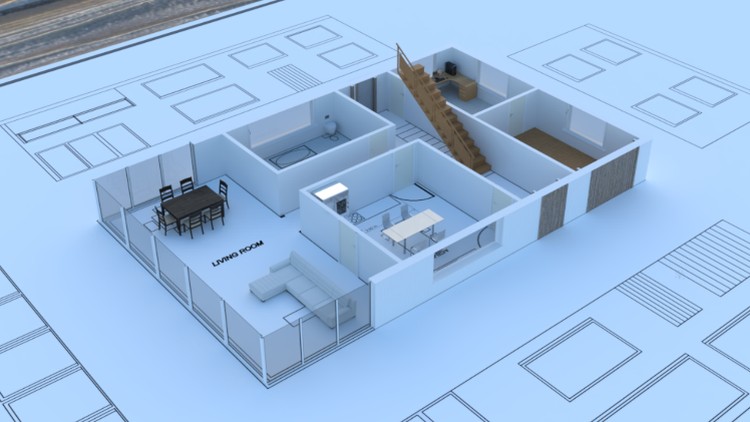
The Architectural Design & Animation in Blender course is a highly regarded training program focused on animating a house construction using Blender, a free and open-source software. Whether you are a beginner or have no prior experience in 3D modeling, this course will guide you through the design, 3D modeling, and creation of a house construction animation.
Taught by a top instructor with almost 100,000 students, this course ensures that you learn the latest tools and techniques to achieve professional results efficiently. The content is regularly updated to keep you up to date with the newest features and workflows in Blender. The course is designed to make Blender easy to use, even for beginners, saving you time and money through shortcuts and smart workflows.
You will start from the basics, so no previous 3D experience is required. The course covers topics such as the creation of 2D layouts, geometry nodes, converting Ngons to quad topology, using asset libraries, 3D modeling and texturing assets, creating natural elements like trees, rocks, and grass, scene setup and lighting, animating the opening of plans, setting up animations with cameras and keyframes, rendering using the Real-Time render engine Eevee, and video editing in Blender’s video sequence editor.
By the end of the course, you will have acquired the skills and ability to 3D model and animate in Blender. This unique skill set is particularly valuable for architectural designers, 3D artists, or beginners looking to create their own architectural models and animations.
By the end, you’ll have the skills to design, model, and animate architectural masterpieces in Blender—ideal for 3D artists, architectural designers, or beginners ready to create standout projects. Enroll now and start crafting your first show-stopping animation today!

3D House Design Mastery
3D House Design Mastery in Blender is a comprehensive and highly rated architectural house design and 3D modeling course, tailored for beginners and experienced users alike. With over 6 hours of detailed video training, this course equips you with the necessary skills to create photo-realistic modern house designs using Blender, a free and open-source software.
Taught by a top instructor with nearly 100,000 students, the course ensures you stay up to date with the latest tools and techniques. Regardless of your previous 3D experience, you will learn everything from the basic tools to more advanced features, allowing you to save time through shortcuts and smart workflows.
The curriculum, continuously refined based on student feedback, focuses on designing to real-world scale for accurate results. You’ll gain the ability to transform your design ideas into fully realized 3D models, guiding you through step-by-step video tutorials using Blender’s tools. Topics covered include detailed layout creation, the 3D modeling workflow, UV mapping for texturing, lighting techniques, PBR materials creation, and camera setup for capturing images and animations.
Take the course now and start your next house design project in Blender!

Master Architectural Visualization
The Master Architectural Visualization in Blender course is a highly popular and comprehensive training program that focuses on 3D modeling and lighting interior scenes using Blender, a free and open-source software. With over 12 hours of video training, this course provides you with the knowledge and skills needed to achieve professional results in architectural visualization.
Taught by a top instructor with a significant number of students, this course ensures that you learn the latest tools and techniques to create stunning visualizations. Whether you are a beginner or have no prior experience in 3D modeling, this course guides you from basic tools to advanced techniques, saving you time through shortcuts and smart workflows.
The course covers a wide range of topics and milestones, including drafting detailed layout plans, employing a non-destructive workflow using modifiers, managing texel density for consistent UV mapping, creating texture maps and procedural-based texturing, utilizing particle systems for interior carpets, setting up cameras for rendering images and animations, and generating 360 panoramic images for immersive tours.
Throughout the course, you will work with various technologies and tools such as Blender, the FreeStyle (NPR) render engine, the Archimesh and Dynamic sky Blender add-ons, and the Marzipano Tool. Milestones involve creating 2D house layouts, 3D modeling kitchen, living room, and bedroom assets, lighting scenes, and capturing images and animations.
The course delves into numerous topics, including orthographic camera setup, freestyle line rendering, extrusion techniques, dimensioning, vertex manipulation, shading, and much more.
Don’t miss out on the opportunity to enhance your skills in 3D modeling and lighting interior scenes. Take the course now and embark on your journey towards mastering architectural visualization in Blender.

Architectural CAD Modelling and Rendering
The Architectural CAD Modelling and Rendering course is a highly popular and comprehensive training program that focuses on creating 3D CAD models using the free and open-source software FreeCAD and rendering them in Blender. Whether you are a beginner or have no prior experience in 3D modeling, this course will guide you through the process of designing in CAD software.
Taught by a top instructor with almost 100,000 students, this course ensures that you learn the latest tools and techniques to create professional 3D CAD models efficiently. The content is regularly updated to keep you up to date with the newest features and workflows in FreeCAD and Blender.
You will start from the basics, so no previous 3D experience is required. The course covers topics such as CAD modeling in FreeCAD, OBJ file clean-up in Blender, UV mapping in Blender, creating physically based rendering (PBR) materials, setting up cameras, and rendering images.
Throughout the course, you will work with various techniques and tools in FreeCAD and Blender. Topics covered include file import/export, draft wire tool, arch walls, creating arch objects, object subtraction, exporting OBJ files, sun position simulation, stored views, and instances.
By the end of the course, you will have gained the skills and ability to create fully realized 3D models using CAD software. Whether you are an architectural designer, a CAD enthusiast, or someone looking to bring their designs to life, this course provides you with the knowledge and techniques to achieve professional results.
Don’t wait any longer. Take the course now and embark on your journey to turn your designs into fully realized 3D models using CAD software.
3D Printing from Zero to Hero
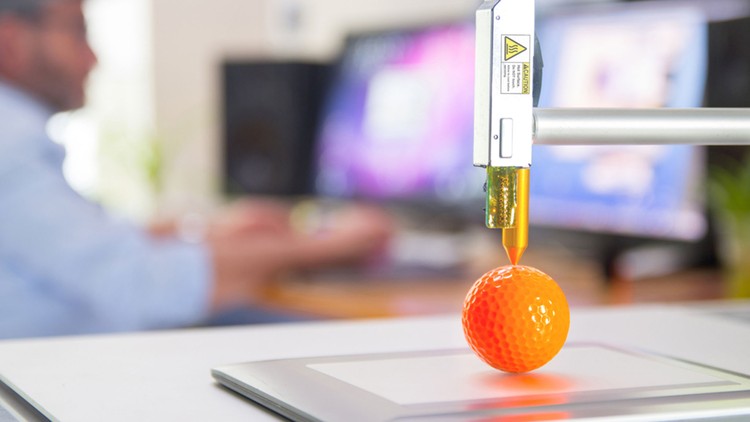
3D Printing from Zero to Hero in Blender course is a highly comprehensive and practical training program that covers the entire process of 3D modeling and 3D printing using the free and open-source software Blender. Whether you have no prior experience in 3D modeling or 3D printing, this course will guide you from zero to hero, equipping you with the skills to design, model, slice and 3D print your own unique 3D models successfully.
Taught by a top instructor with almost 100,000 students, this course ensures that you learn the latest tools, techniques, and workflows in 3D printing. The content is regularly updated to keep you up to date with the newest features and developments. By the end of the course, you will be capable of 3D modelling and 3D printing succesfully.
The course is project-based and designed for practical learning, covering each 3D modeling project in detail. It emphasizes practical skills and teaches you how to avoid pitfalls and eliminate mistakes and failures from your 3D models. With a track record of teaching over 5,000 students to successfully 3D model and 3D print, this course provides you with the knowledge and techniques needed to bring your creative ideas to life.
You will learn in-depth 3D modeling techniques in Blender, using the 3D Print Toolbox add-on to test and fix common issues, exporting STL files, generating G-Code, printing on a Prusa 3D printer (FDM), slicing in the Chitubox Slicer software, printing on a Resin Printer (MSLA), and uploading to the Shapeways Print Service. Additionally, the course covers topics such as 3D reconstruction, photo scanning, importing external models, and techniques for preparing for 3D printing.
Throughout the course, you will work with various technologies and tools, including Blender, slicer software, Prusa 3D printers, Elegoo Mars 3 Pro printers, Shapeways, the MeasureIt add-on, the Bolt factory add-on, Meshroom, the free and open-source software FreeCAD, and more.
Projects created during the course include modeling a door grip using multiple methods, modeling a vase using multiple methods, creating a phone stand, designing a piggy bank, reconstructing a 12th-century font using 3D reconstruction, modeling a coin, retopologizing an external model, and creating an iPhone case.
Topics covered during the course include wall thickness, solid models, curve modifier, wireframe modifier, screw modifier, absolute grid snap, boolean modifier, order of selection, FBX file import, the knife tool, symmetrize, SVG files, mirror modifier, separating and joining objects, normals, infill, supports, bridging, brim, STL files, CTB files, slicing, G-code, heat bed, extruder, and much more.
Don’t wait any longer. Take the course now and unlock your potential to successfully 3D model & print using Blender with the skills acquired from this comprehensive course.

Python Scripting in Blender
The Python Scripting in Blender course is a highly regarded and practical training program that focuses on extending Blender’s functionality through the creation of custom Python scripts. Whether you are a beginner or have no programming experience, this course will guide you through coding in Blender and automating tasks using Python.
Taught by a top instructor with almost 100,000 students, this course ensures that you learn the latest techniques and tools in Python scripting for Blender. The content is regularly updated to keep you up to date with the newest features and developments. With a hands-on approach, you will receive instant feedback from the viewport, allowing you to learn Python in a 3D software environment.
Throughout the course, you will learn to automate common tasks in Blender, enabling you to develop scripts for yourself, friends, or your workplace. Python and Blender are becoming increasingly integrated across various industries, making it an ideal time to learn both tools in a practical way. With the latest release of Blender, there has never been a better time to automate the software.
The course consists of step-by-step video tutorials that take you through engaging lessons, ensuring your success in learning Python by automating tasks in Blender. Topics covered include creating panel buttons on the sidebar, importing and extracting data from CSV files, working with lists, iterating through for loops, mesh manipulation, material creation, adding keyframes, and much more.
Projects created during the course include adding objects to the scene and naming them, duplicating and translating, renaming scripting, setting up studio lights, cameras, and objects, creating a panel button for the sidebar, and animating graphs using CSV file data.
Topics covered during the course include the Bpy module, manipulating the 3D cursor, variables, comments, radians, for loops, f-strings, text editor usage, Python console interaction, order of operations, data types, and more.
By the end of the course, you will have the skills and ability to start automating repetitive tasks in Blender using Python. Time is precious, so take the course and embark on your journey to automate Blender while learning Python.

ChatGPT: A Practical Guide to Enhancing Your AI Skills
AI is disrupting how we work and granting us extraordinary power to accomplish what we once thought impossible. Learn to use AI by practising real world examples, and open a world of opportunities. This comprehensive course focuses on practical applications of OpenAI’s ChatGPT. Designed for tech enthusiasts, professionals, and developers, this course offers an in-depth understanding of leveraging AI tools to enhance productivity, analyse data, create custom solutions, and understand AI’s limitations. Each lecture builds on the previous one, ensuring a cohesive and comprehensive learning experience.
Running AI Models Locally
Learn how to set up and configure AI models on your own hardware to enhance data privacy and customization. Explore Nvidia’s ChatRTX and Jan ai for local AI solutions. Understand the benefits and practical applications of running AI models locally.
Intro to ChatGPT
Get acquainted with OpenAI’s ChatGPT, including navigation and utilization of the platform. Learn about different pricing plans, key features, and customization options. This session covers the basics of setting up and using ChatGPT effectively, including managing settings, using suggested prompts, and creating custom GPTs for tailored AI interactions.
Effective Prompt Engineering
Master the art of crafting clear, specific, and effective prompts to get precise and relevant answers from AI. Utilize context and assign roles in prompts to improve AI responses. Explore advanced strategies for creating high-quality prompts for various applications.
Context
Understand the importance of context in conversations with ChatGPT. Learn how context helps maintain the relevance and coherence of responses by remembering the flow of conversation and linking related topics. This lecture emphasizes effective communication techniques with ChatGPT to enhance the accuracy and usefulness of its responses.
Understanding Tokenization and Limits
Gain an understanding of tokenization and how AI models process text inputs. Learn to manage token limits and context windows to maintain the continuity and relevance of conversations. Use OpenAI’s tokenizer tool to optimize text inputs for AI interactions.
Limitations of AI
Examine the inherent limitations of AI systems, including biases, bad training data, and developer influences. Learn about the importance of verifying AI-generated information and understand the potential ethical implications. This session highlights the need for a critical perspective when using AI tools.
Data Analysis and Decision Making
Learn to analyse and visualize financial data using ChatGPT. Understand the supported document formats and token limitations. This lecture provides a practical example of comparing financial metrics from Tesla’s quarterly reports, demonstrating how to extract, analyse, and visualize data using AI tools to make informed decisions.
AI for Search
Explore the use of AI technologies in revolutionizing search engines. Understand how AI can tailor search results to user preferences, perform visual and natural language searches, and provide precise answers. This session contrasts traditional search engines with AI-enhanced search capabilities, demonstrating their effectiveness in finding and processing information.
Image Creation
Discover the capabilities of OpenAI’s DALL-E model in generating images from textual descriptions. Learn how to create detailed and specific prompts to achieve desired visual outcomes, such as character designs, logos, and sketches. This lecture emphasizes the importance of precise descriptions in enhancing the quality of AI-generated images.
Coding
Utilize ChatGPT to assist in coding tasks, from suggesting lines of code to entire functions. This session provides examples of generating Python programs and Blender scripts, highlighting the importance of reviewing and testing AI-generated code. Learn how AI can improve productivity and reduce errors in software development.
Customer Service Bot
Create a custom customer service bot using ChatGPT. Learn to configure the bot, integrate specific knowledge bases, and refine its responses. This lecture covers the practical steps of setting up a chatbot to answer FAQs and provide accurate, relevant information based on a predefined knowledge base.
Translation
Explore ChatGPT’s capabilities in translating text across multiple languages. Learn how to use AI for translating documents, scripts, and real-time communication. Understand the limitations of machine translation and the importance of human verification for professional purposes. This lecture includes practical examples of translating text and creating language learning tools like flashcards.
File Conversions
Explore the file conversion capabilities of ChatGPT, including text, images, audio, video, programming files, and compression. This session demonstrates practical examples, such as compressing files and transcribing handwritten notes, showcasing how AI can streamline various file conversion tasks and enhance productivity.
Marketing & SEO
Learn to leverage AI for strategic marketing initiatives using a fictitious company, Kitchen Canvas, as a case study. Develop a customer identification strategy, design effective lead magnets, construct high-converting landing pages, and create engaging promotional materials.
Writing
Utilize AI to improve your writing, from grammar corrections and style suggestions to generating content based on prompts. This session covers various applications, including email templates, blog posts, and creative writing. Learn how to refine AI-generated content for readability, engagement, and professional appeal. Understand the importance of detailed prompts in achieving high-quality writing outputs.
Seize this opportunity and begin your AI journey today!
Character Modelling & Rigging in Blender 3 & Unreal Engine 5
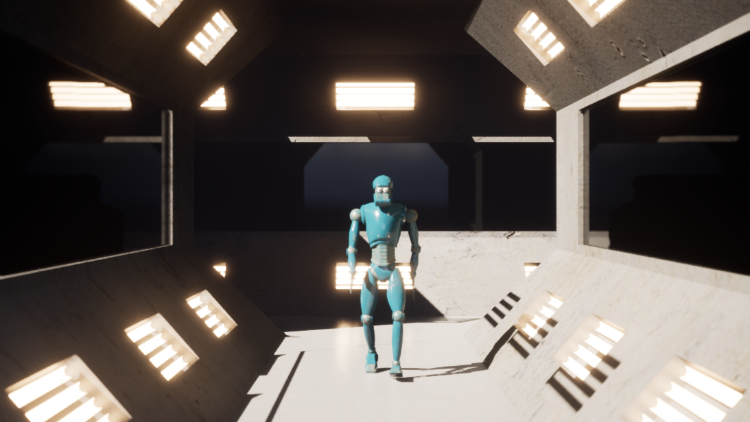
The Character Modelling & Rigging in Blender 3 & Unreal Engine 5 course is a comprehensive training program that focuses on creating a 3D humanoid character, and includes modeling, rigging, texturing, and animation. Using the free and open-source software Blender and Unreal Engine 5, this course provides you with the skills to successfully bring your characters to life.
Taught by a top instructor with almost 100,000 students, this course covers the entire pipeline of character creation, from basic tools to advanced techniques. The content is regularly updated to keep you up to date with the latest tools and techniques in Blender and Unreal Engine. With a highly detailed curriculum developed through student feedback, this course offers a thorough understanding of the character creation workflow.
Throughout the course, you will gain experience using the basic tools and progress to more advanced techniques. You will learn smart workflows that save you time and money in character creation. The step-by-step video tutorials guide you through the process of 3D modeling, rigging, texturing, and animating a humanoid character using Blender and Unreal Engine 5.
The comprehensive course covers various topics, including the detailed 3D modeling process of the character, UV unwrapping and texturing, material creation in both Blender and Unreal Engine, rigging the character and creating controls, walk cycle animation, creating animations in Blender and Unreal Engine, importing assets into Unreal Engine, video editing in Blender, and more.
Throughout the course, you will dive into specific topics such as bone naming and orientation, bone hierarchy, bone parenting, weight painting, inverse kinematics, control objects, constraints, keyframing, binding cameras to markers, level sequence setup, character animation setup, and camera setup.
By the end of the course, you will have a fully rigged character and environment that you can animate and practice on. This course is designed for intermediate Blender users, offering a quick pace and teaching you numerous new skills along the way.
Don’t wait any longer. Take the course now and start creating your next animated character using Blender and Unreal Engine.
Get Connected!
Follow me for on social media and stay up to data!
 Discover Learn Create